Home Services Enterprise Programme AI Adoption Lab Workshops & Training Framework Pathfinder All Accelerators Guide Case Studies About Blog Contact
2027 Ready · a half-day at the AI Adoption Lab

Start 2027 a step ahead.

Personal bots, agents and skills arrived in 2026, and most businesses haven't caught up. Bring your leadership team to our Lab in Greenwich for a practical half-day: see what's new, learn how to build your own AI harness, and leave with your plan for the first three months of 2027.

  • Half a day 10:30 to 14:30
  • 3 to 20 people your team only
  • Lunch included at the Lab
See available dates £3,500 + VAT for your whole team
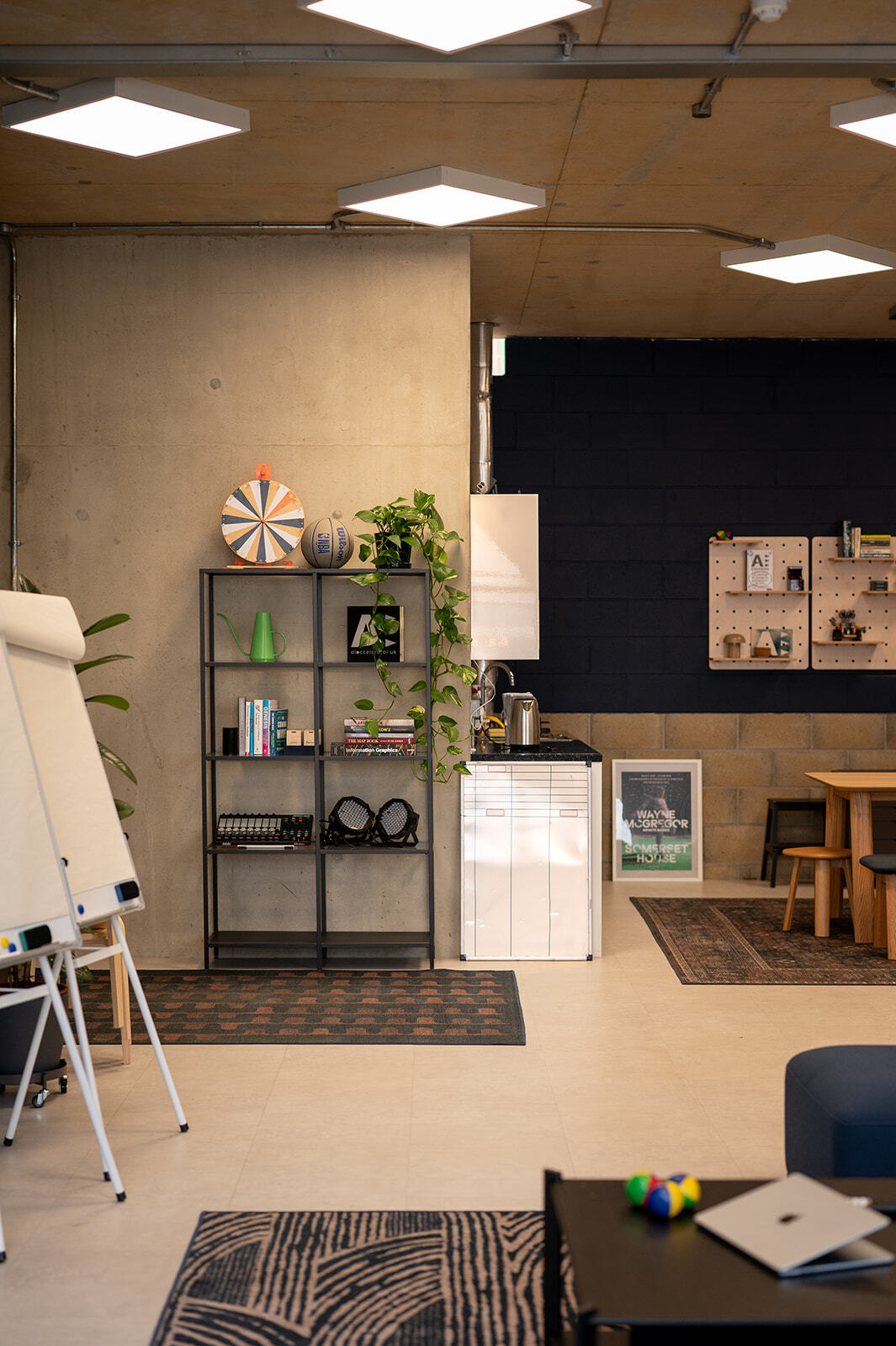
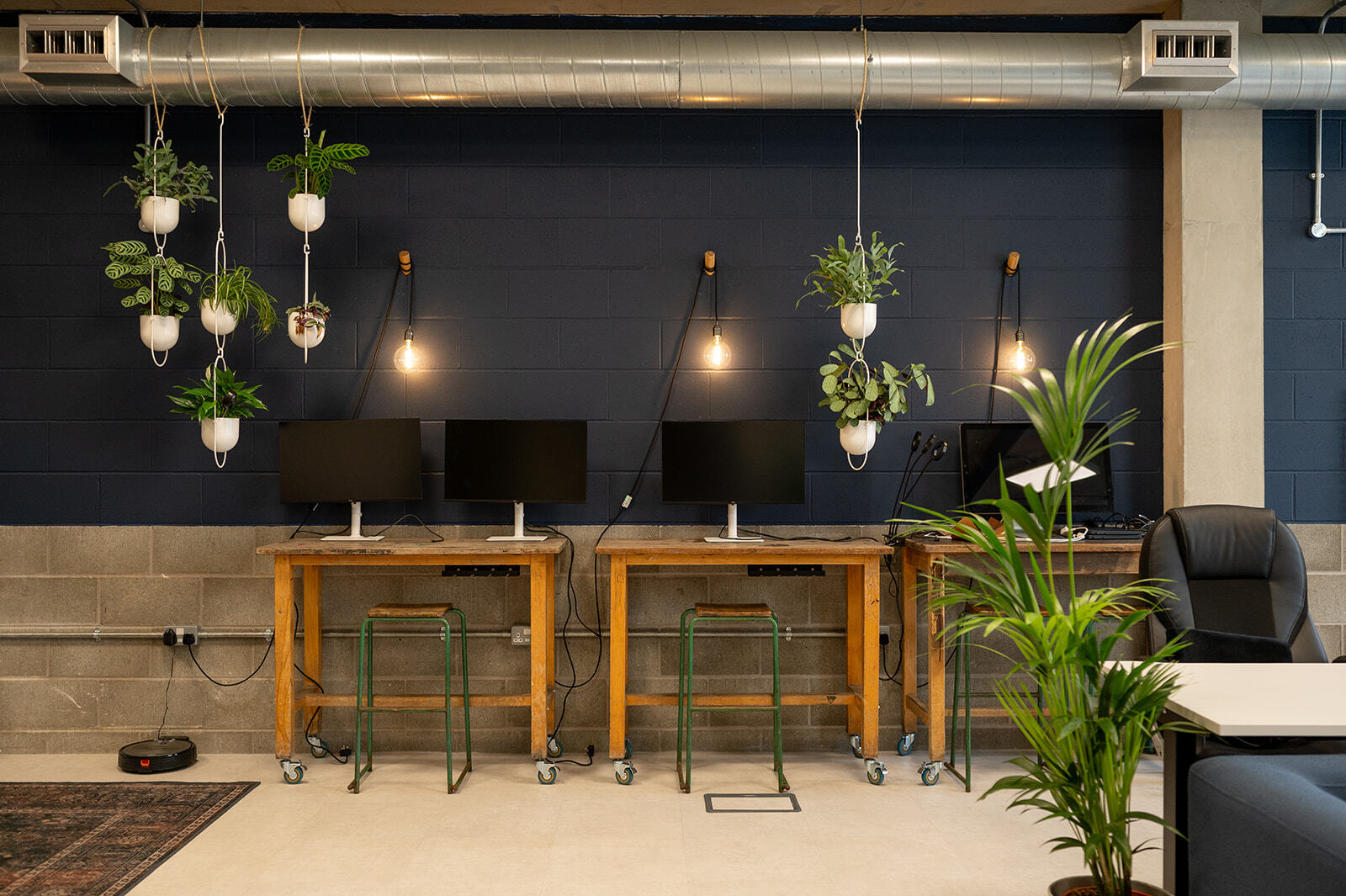
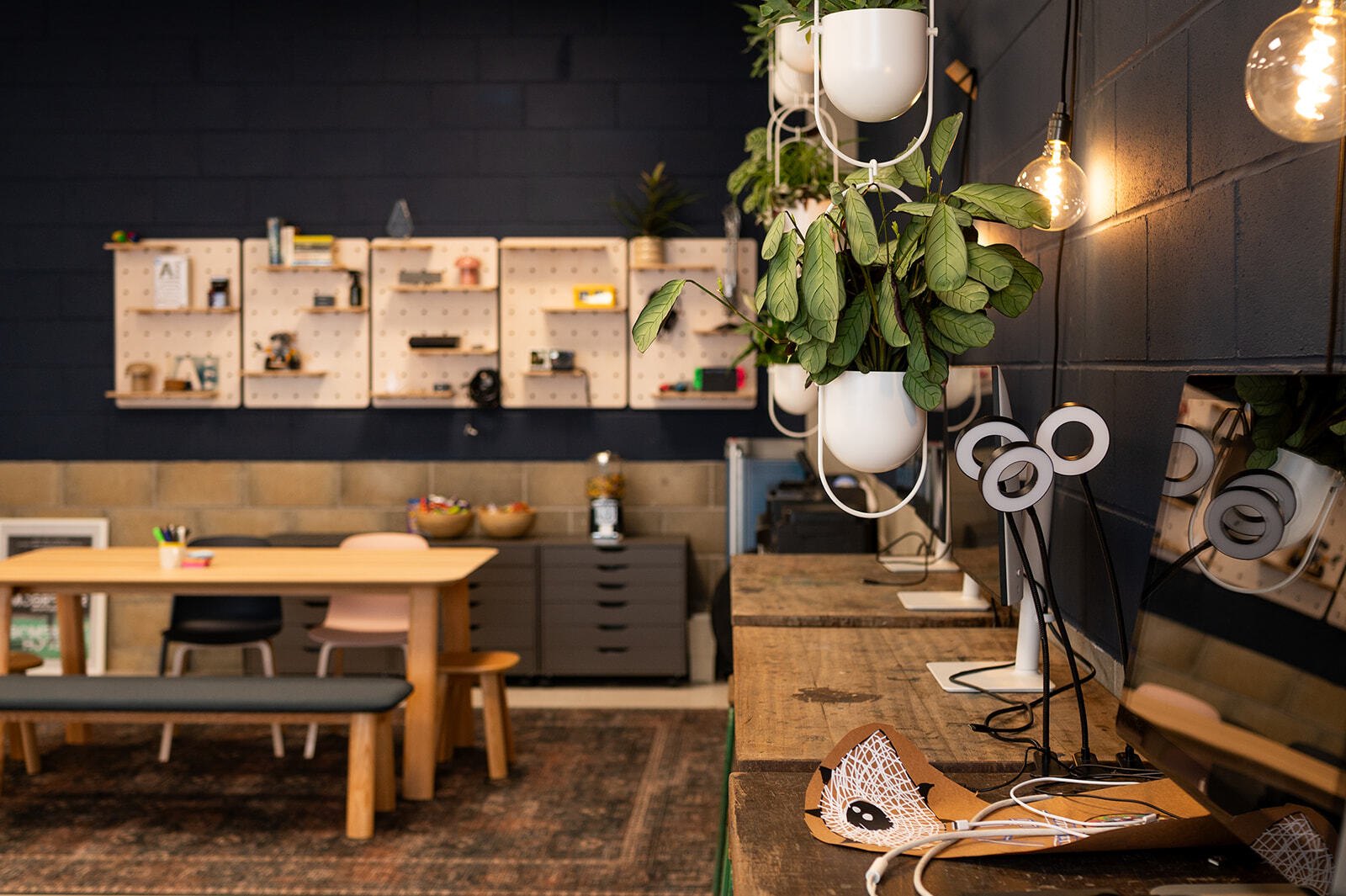
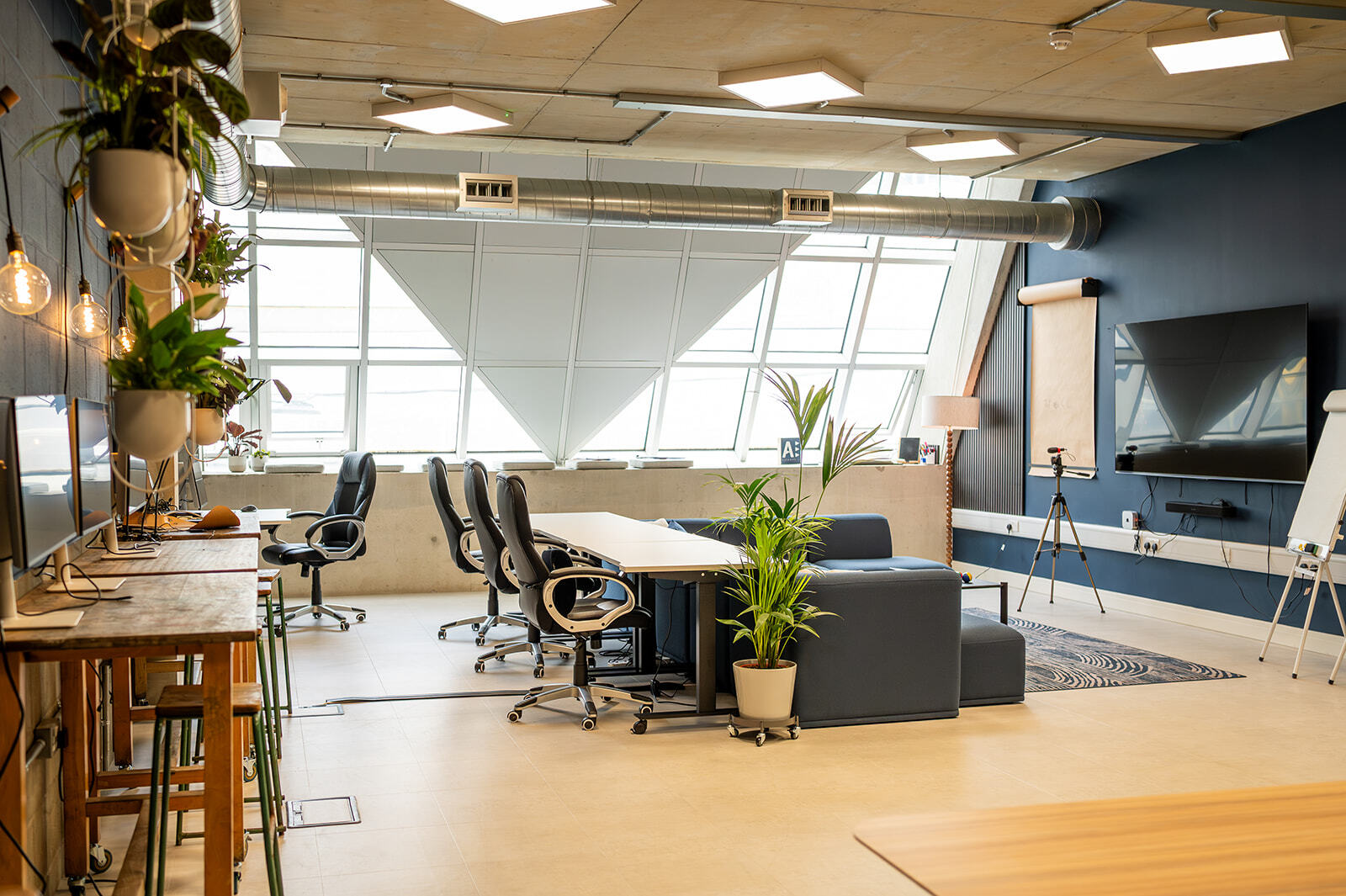
The AI Adoption Lab in the Design District, Greenwich
What changed in 2026

AI stopped waiting to be asked.

Most businesses are still using AI as a chat box. Meanwhile three things happened that change what 2027 looks like.

01 · Personal bots

Agents that act for you

OpenClaw, Meta's Muse and xAI's Grok Bot put always-on agents in your messages, inbox and calendar. They don't answer questions; they carry out jobs. Your people will bring them to work whether you plan for it or not.

02 · The build

Anyone can build now

With Claude Code, Codex and Cowork, a manager describes what they need and gets a working tool the same afternoon. The bottleneck has moved from writing software to knowing what good looks like in your business.

03 · Skills

From GPTs to skills

Work is moving from one-off custom GPTs to skills: packaged, reusable ways of working that any AI can pick up. A business that writes down how it works can now hand that to AI, and improve it every week.

The question for 2027 isn't which bot to buy. It's whether your business has built its own harness.

The most important thing to build in 2027

Your AI harness.

The model does the reasoning. The harness around it decides what it can actually do for you: what it knows, what it can do and what it's allowed to do. Your business feeds it, people sit on top, and leadership can see the lot. Every business can build one from the tools it already has.
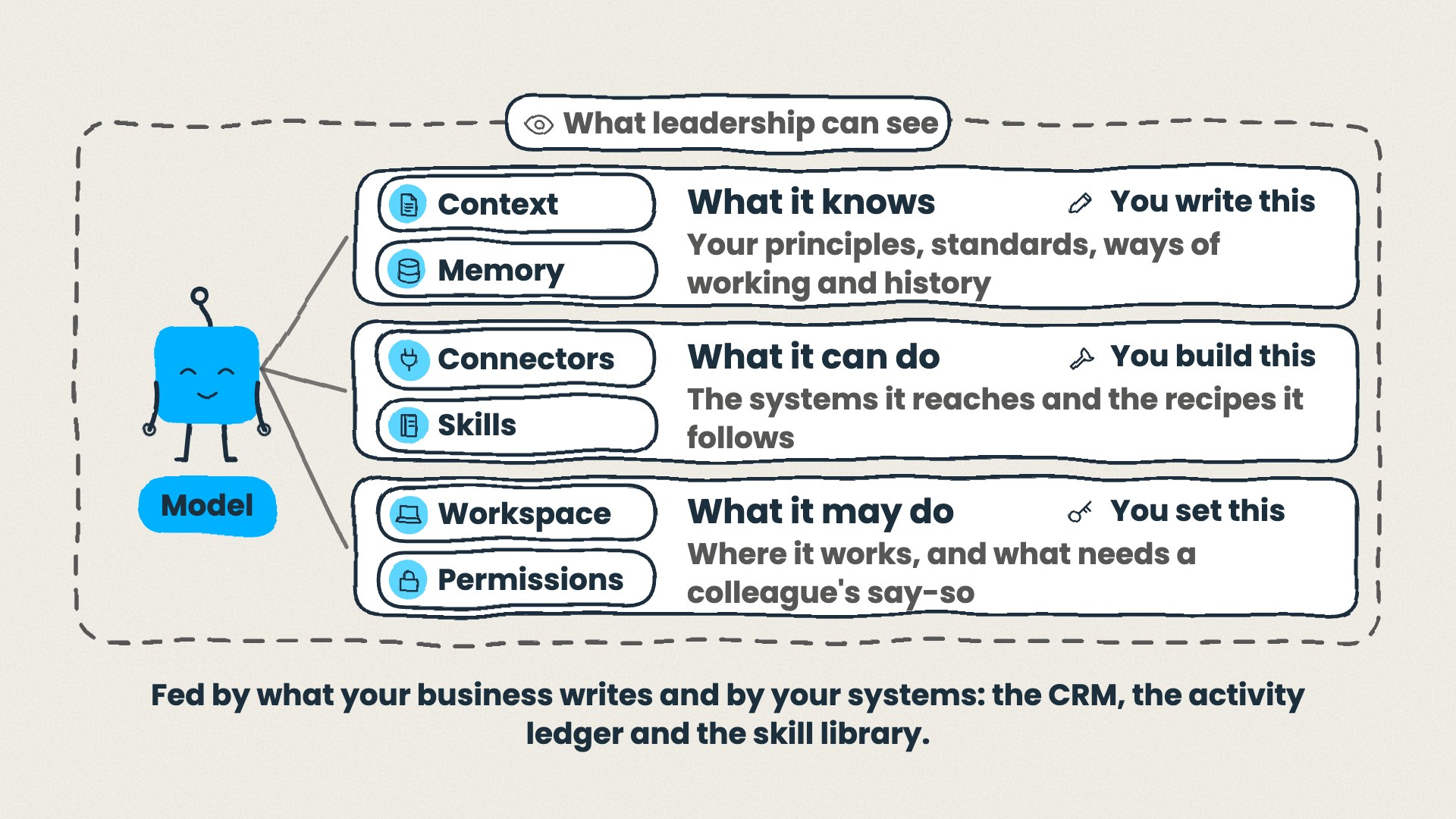
The AIA robot as the model, with the harness around it: what it knows (context and memory, which you write), what it can do (connectors and skills, which you build) and what it may do (workspace and permissions, which you set), all inside a frame labelled what leadership can see. Underneath: fed by what your business writes and by your systems, the CRM, the activity ledger and the skill library.
People on topSet direction, own the skills, approve and review
What your business writesConstitution, position, standards, SOPs and playbooks
Your systemsCRM, activity ledger, files and email, the skill library
First steps

How to start building yours.

  1. Write the top layers. A one-page constitution and position: what you stand for, who you serve, where the line is. Only leadership can write these, and they're short.
  2. Map where things live. Which system holds what. AI can't use knowledge it can't find.
  3. Decide where your AI lives. Pick the model that fits your business before the tools pick it for you.
  4. Turn three jobs into skills. The three things your team does every week, written down once and run the same way every time.
  5. Connect, permit, watch. Plug in the tools you already use, set what AI may do, and make sure leadership can see what it's doing.
Approaches

Four ways to set it up.

One shared toolEveryone uses the same assistant with the same context. Simple to govern, easy to start.
Everyone their own assistantEach person builds on their own work. Fast to adopt, hard to keep consistent.
One AI for the businessA single assistant that knows the whole organisation. Powerful, and it needs the top layers written first.
Specialist agents per teamThe most capable option, and the one most likely to drift, because no single agent is watching the whole.

We'll help you choose on the day.

Managing skills

A skill is never finished.

As teams move from GPTs to skills, the new job is managing them: who owns each one, when it's good enough to share, and when to retire it. Skip that and you get a drawer full of half-working prompts.

  1. IdeaSomeone spots a job worth packaging
  2. Personal buildThey build it for their own work
  3. SharedReviewed and handed to the team
  4. In useOwned, measured, relied on
  5. ImprovedEvery use teaches it something
  6. RetiredReplaced when something better arrives

How to standardise skills

  • One shared skill library, not a skill per person
  • One named owner for every skill
  • Reviewed before it's shared, versioned when it changes
Version control: GitHub, or any tool that keeps history Shared skill library v1.0 v1.1 v2.0 Draft the change Review it Merged: everyone gets it Next improvement
  1. v1.0 in the shared library
  2. Draft the change, then review it
  3. v1.1 merged: everyone gets it
  4. Next improvement, v2.0
The learning organisation

How your business keeps learning.

The real prize isn't one clever tool. It's a business where every piece of AI work ends by improving the next one. The activity ledger records what was done, the CRM records who it was for, and the skill library holds how you do it now. Small loops, run every day, compound into a team that's measurably better each month.

1. Do the workinside your harness 2. Close it outfiled, logged, followed up 3. Capture the lessonwhat worked, what didn't 4. Improve the skilla new version, reviewed Every session makesthe next one better Activity ledger: what was done CRM: who it was for Skill library: how we do it now
  1. Do the work inside your harness
  2. Close it out
  3. Capture the lesson
  4. Improve the skill
  • Activity ledger what was done
  • CRM who it was for
  • Skill library how we do it now
On the day

Six things you'll cover.

01

What's new, and what 2027 brings

Personal bots, the build and skills: what changed in 2026 and what it means for a business like yours.

02

Where the line is

The guardrails for safe, effective use: what AI should and shouldn't touch, and who decides.

03

Build your own AI harness

Your constitution, position and standards, and how they become what your AI knows, can do and may do.

04

Skills, and how to manage them

Moving from GPTs to skills, the lifecycle that keeps them working, and the 10 every business needs.

05

The learning organisation

How every piece of AI work can make the next one better, and the habits that make it stick.

06

Your plan for 2027

Where to focus energy and effort, with a clear plan for January to March and owners for each step.

The takeaway

The 10 skills every business should have set up before 2027.

These are the skills that turn a harness into a learning organisation: they keep knowledge where it belongs, close work out properly, and keep getting better. You'll see each one working in the room, and leave knowing which to build first.

  1. Your house documents Any draft into a finished, on-brand document
  2. Your voice Writing that sounds like you, not like AI
  3. Where things live Everyone knows where everything belongs
  4. End-of-session wrap-up AI work filed, logged and followed up
  5. Meeting to actions Notes into owners, deadlines and CRM updates
  6. Brief me before I go in A one-page brief before any meeting
  7. Process to playbook "How we do it" into a clear SOP
  8. Ask the business Answers from your own policies and past work
  9. Second opinion Plans challenged, and work seen through your customers' eyes
  10. Skill builder So your team can keep adding their own
Where to focus in 2027

A clear plan for the first 90 days.

You'll leave with your own version of this, built around your business, with an owner against every step.

January

Foundations

Write the top layers, map where things live, choose where your AI lives, and agree the line.

February

First skills

Build your first three skills, connect the tools you already use, and set permissions.

March

The learning loop

Run the skills lifecycle, close every session properly, and review what improved.

What you leave with.

  • A sketch of your own AI harness
  • Your shortlist of AI use cases, ranked
  • Your guardrails: where the line is, written down
  • The 10 skills list, and which to build first
  • A roadmap for January to March 2027
  • Anything you build on the day. Bring your own laptop and we'll help you set it up on your own tools

Built for teams using ChatGPT or Claude. No laptops or licences needed to take part.

A typical day.

  1. 10:30 Arrive, coffee, and build something working in the first fifteen minutes
  2. 11:00 What changed in 2026, and where the line is
  3. 11:45 Building your own AI harness
  4. 12:30 Lunch at the Lab
  5. 13:15 Skills, the lifecycle and the learning loop, shown working live
  6. 14:00 Your 2027 plan
  7. 14:30 Done. Stay on in Greenwich if you like

Everything is shown working on real tasks, not on slides. Timings flex to suit your group.

The venue

Not a hotel meeting room.

The AI Adoption Lab is our own studio in London's Design District on the Greenwich Peninsula: a space built for making things, surrounded by creative and technology businesses, away from the day job.

A few minutes' walk from North Greenwich on the Jubilee line, with the O2 and the river on the doorstep if your team wants to make a day of it.

2 Appleby Yard, Soames Walk, Design District, London SE10 0BJ

The training area at the AI Adoption Lab

“We've had some amazing feedback and I'm 100% sure that you achieved the goals that we were hoping for when we set out to plan the day. I'll be more than happy to recommend you to anyone looking to get up the AI adoption and value curve.”

One price, your whole team
£3,500 + VAT

For 3 to 20 people from your organisation. One flat price, whatever the size of your group.

  • Half-day session at the AI Adoption Lab
  • Lunch, coffee and refreshments
  • The 10 skills list and your Q1 2027 roadmap
  • Run by an AI Accelerator facilitator

Pick your date.

Sessions run Monday, Tuesday, Wednesday and Friday until 18 December. Choose a date, tell us about your team, and we'll confirm within one working day.

Loading dates…

No date chosen yet. Pick one above.
Have you worked with us before?

This is a booking request, not a payment. We'll confirm the date by email and send an invoice, payable before the session.

Questions.

Do we need laptops or AI licences?

No. Everything is shown working in the room. If you'd like help setting things up on your own ChatGPT or Claude account, bring a laptop and we'll work on it with you.

We use Microsoft Copilot. Is it still for us?

Yes, the thinking applies to any AI tool. The live demonstrations use ChatGPT and Claude, because that's where skills and agents are furthest ahead today.

We did an AI Primer with you. Is this different?

Yes. The Primer covered how AI works. 2027 Ready covers what's changed since: personal bots, harnesses and skills, and what to put in place now.

Can you run it at our office instead?

2027 Ready is built around the Lab. If you need us on site, get in touch and we'll talk about a private workshop.

What if we need to move the date?

Tell us as early as you can and we'll find another date with you.

Who runs the session?

One of the AI Accelerator team who work with clients on AI adoption every week.

Walk into 2027 with a plan.

Half a day at the Lab, lunch included, and your team leaves ready.

See available dates